Phone Cooling Tips for Gamers Who Play Hard
12 September 2026A ranked match is the worst time for your phone to turn into a hand warmer. Heat can drop frame rates, dim the display, increase touch delay, drain battery faster, and trigger thermal throttling right when a fight gets busy. These phone cooling tips for gamers focus on the fixes that make a real difference, from changing your setup to knowing when a phone cooler is worth bringing into the loadout.
Why your phone heats up during games
Modern mobile games push several power-hungry parts at once. The processor and graphics chip render the game, the screen runs at high brightness and refresh rate, the modem maintains a data connection, and the battery supplies all of it. Add voice chat, screen recording, or a charging cable, and heat builds quickly.
Your phone is built to protect itself. When internal temperatures rise past a safe point, it reduces clock speeds and limits power use. That protection is thermal throttling. It is not a bug, but it can feel like one when a stable 90 FPS session suddenly turns into stutters, slower input, or aggressive screen dimming.
The goal is not to keep a phone ice-cold. The goal is to reduce unnecessary heat so the device can sustain performance for longer without hitting its thermal limits.
Start with the fastest cooling wins
The biggest gains usually come from habits, not accessories. Remove a thick case before a long session. Cases trap heat around the back panel, especially rubberized and wallet-style designs. A slim case may be fine for casual play, but taking it off gives heat a clearer path out during competitive matches.
Next, stop charging while you play whenever possible. Fast charging creates heat on its own, and gaming adds more. Combining both is one of the quickest ways to trigger throttling. Charge to a comfortable level before you queue, then play unplugged. If you must stay plugged in, use a lower-watt charger if your phone supports it and avoid placing the device under a pillow, blanket, or anything that blocks airflow.
Keep the room and your play surface in mind. Playing in direct sunlight, in a hot car, or on a fabric surface makes cooling harder. A desk, stand, or clean hard surface gives the phone more exposure to air. It sounds basic because it is, but ambient temperature has a major effect on how long your phone can hold high performance.
Phone cooling tips for gamers: tune the settings that create heat
Maximum settings are not always the best competitive settings. If your device cannot sustain them, a lower but stable frame rate usually feels better than a high frame rate that repeatedly collapses. Start by choosing the frame-rate target you can hold through a full match, not just the first two minutes.
Graphics quality is the next lever. Shadows, anti-aliasing, high-resolution textures, dynamic lighting, and visual effects can push the graphics chip hard. In shooters and battle royale games, reducing these settings may also improve visual clarity by cutting screen clutter. Prioritize frame rate, responsiveness, and a consistent image over cinematic effects.
Display settings matter too. High brightness generates more heat, particularly outdoors. Lower brightness to the minimum level that still lets you track enemies and read the map. If your phone offers adaptive refresh rate, test it against a locked mode. A high refresh rate can make aiming feel cleaner, but it costs battery and adds heat. For some games, a steady 60 Hz or 90 Hz mode is the smarter long-session option.
Turn off background work before launching the game. Close video apps, social feeds, browser tabs, downloads, cloud backups, and active hotspot sharing. Disable screen recording unless you genuinely need the footage. Gaming modes and tools such as TOLAN Game Booster can help by reducing background interference, but they cannot override the laws of heat. They work best when paired with sensible game and display settings.
Manage your connection without cooking the modem
A weak cellular signal can make a phone work much harder. When signal quality is poor, the modem may increase power to hold a connection, adding heat and accelerating battery drain. If your Wi-Fi is stable and has low latency, use it for long sessions. If cellular is your only option, play where your signal is strongest instead of forcing a match from a dead zone.
There is a trade-off. Wi-Fi is not automatically better if it is crowded, unstable, or far from the router. Packet loss and latency spikes can ruin a match even when the phone stays cool. Test your usual network conditions and choose the connection that produces the most stable ping, not just the highest download speed.
Also avoid jumping repeatedly between Wi-Fi and cellular during a match. The reconnection activity can create lag and extra power use. Set your connection before launching the game, then leave it alone unless the network actually fails.
When a phone cooler is worth it
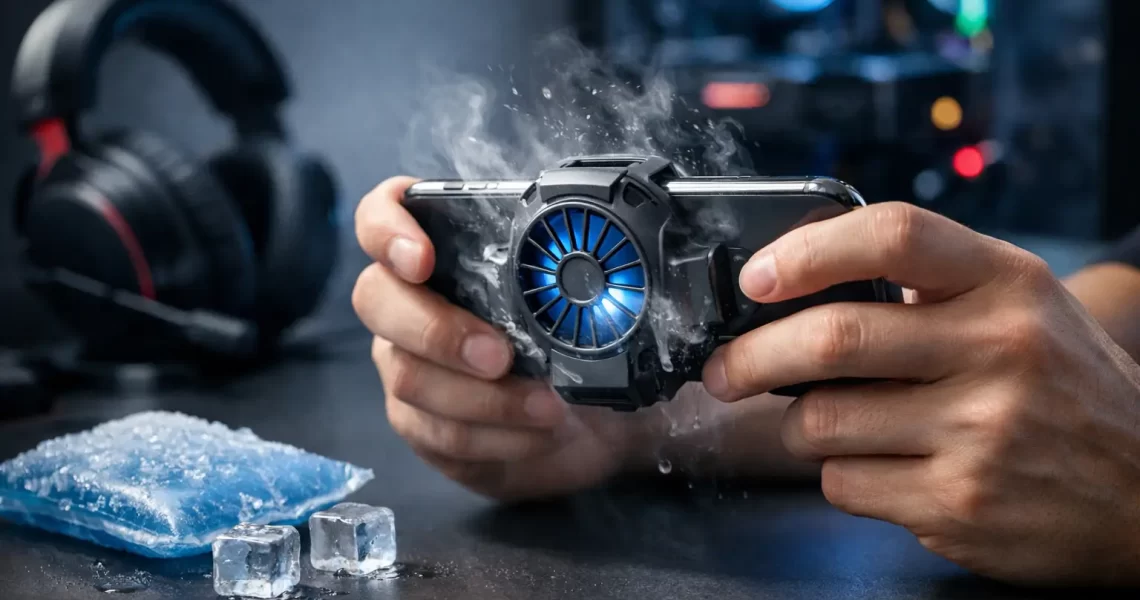
A clip-on semiconductor cooler can be a useful upgrade for players running demanding titles at high settings, streaming gameplay, or playing in warm rooms. Unlike a basic fan, an active cooler pulls heat from the back of the phone and can delay thermal throttling during extended sessions.
Placement matters. Position the cooler near the center of the back panel, where the processor area often sits. Phone layouts vary, so move it slightly if one position feels more effective. Make sure the contact plate is flat against the device and remove a thick case first. A cooler attached over insulation is doing far less than it should.
Active coolers have limits. They add bulk, may need external power, and can cause condensation in very humid conditions if pushed too hard. Do not use an extremely cold cooling source, put your phone in a freezer, or rest it on ice packs. Sudden temperature changes and moisture are far riskier than a few dropped frames.
A simple fan aimed at your hands and phone can still help in a hot room, although it will not pull heat away as aggressively as a contact cooler. For casual gaming, that may be enough. For tournament-style sessions or graphically heavy games, a quality clip-on cooler is easier to justify.
Protect battery health for more consistent sessions
Heat does not just affect the current match. Repeated high-temperature charging and gaming can accelerate battery wear, which can eventually make performance and playtime less predictable. You do not need to obsess over every percentage point, but avoiding the worst combinations pays off.
Try not to begin a long session with a nearly empty battery, since the device may heat more if you end up charging mid-game. Avoid leaving the phone in hot places, including cars and sunny windows. Keep charging ports and vents on external coolers free of dust. If your battery has swollen, drains unusually fast, or the phone overheats during light use, stop treating it as a gaming-setting problem and have the device checked.
Some phones offer battery-protection limits or bypass charging modes for supported gaming setups. These features can reduce battery stress, but availability depends on the model. Use them when they fit your device, and do not expect them to replace airflow, sensible settings, and a stable environment.
Build a repeatable pre-match setup
Before a serious session, make a quick routine: charge first, remove the thick case, close background apps, choose your stable graphics preset, lower brightness as needed, and connect to the better network. If you use an external cooler, mount it before the phone is already hot.
During breaks, let the device rest in open air for a few minutes instead of immediately launching another match. If it has started throttling, lowering settings after the fact helps, but a short cooldown is often more effective. Do not wait for stutters to tell you the phone needs help.
The best cooling setup is the one you can repeat every time you play. Keep the phone out of heat, avoid charging under load, tune for sustained frame rates, and add active cooling only when your game, room, and session length demand it. That keeps your focus on the match instead of the temperature warning.

Visionary: AI Video Generator
Download on Google Play!