Top Mobile Crosshair Overlay Apps for Android
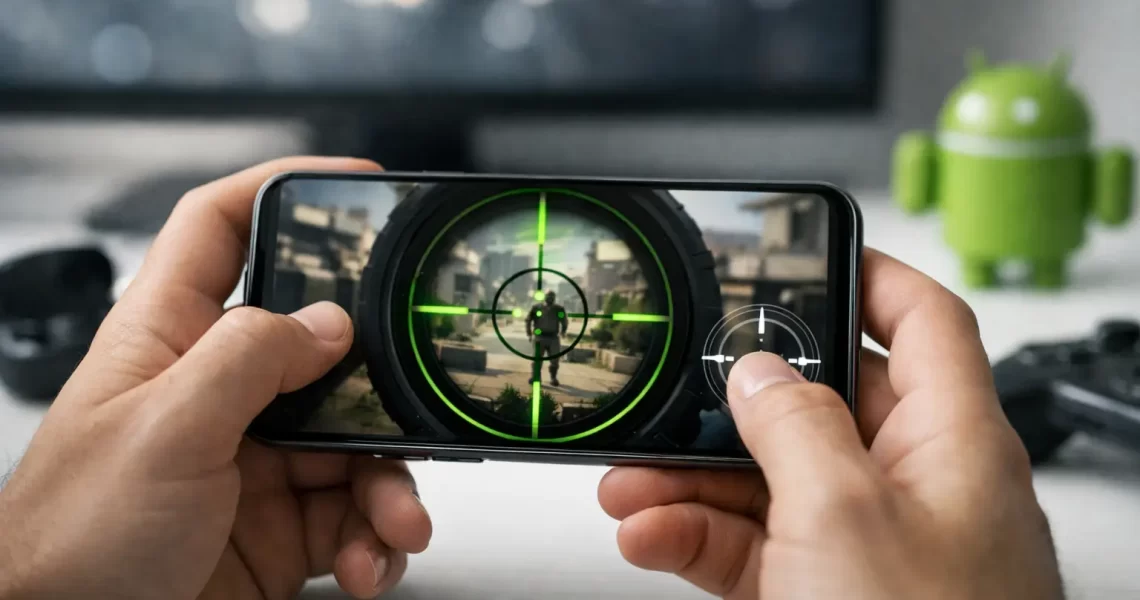
29 August 2026A missed close-range shot can come down to one problem: you lose the center of your screen when a weapon has no usable sight. That is where the top mobile crosshair overlay apps can help. These Android tools place a small, adjustable reticle over your display so you have a consistent center reference while playing supported games.
They are not aim bots. A quality overlay does not move your camera, track enemies, tap your screen, or alter game files. It is a visual layer only. That distinction matters, but it does not remove every risk. Some competitive games restrict overlays in their terms, and an app that works well in one title may be blocked or inappropriate in another.
For players who want a cleaner hip-fire reference in shooters, this guide breaks down the best types of Android crosshair apps, the features worth using, and the setup choices that protect both performance and visibility.
What Makes a Mobile Crosshair App Worth Using?
The best overlay is not the one with the largest collection of neon reticles. It is the one that stays visible, uses minimal battery, and gives you control without cluttering your screen. A crosshair that is too large can cover an opponent at distance. One that is too faint disappears against bright maps, muzzle flashes, or smoke effects.
Start with basic reticle customization. You should be able to change the color, size, thickness, center gap, and transparency. A cyan or bright green crosshair often stays readable across more environments than white, while a small center gap can keep your target visible during long-range shots.
Position control is equally important. The app needs a simple way to drag the reticle to the exact center of your device display, then lock it in place. Some games use unusual aspect ratios or place camera elements slightly off-center, so a fixed preset is not always enough.
Performance also separates useful tools from frustrating ones. A lightweight overlay should use little memory and avoid creating noticeable heat, frame drops, touch delay, or battery drain. If your phone already struggles with a demanding battle royale or 3D shooter, adding a poorly optimized utility app is the wrong trade.
Finally, look for a quick on/off control. You should be able to hide the overlay before opening menus, recording clips, or switching to a game where its use is not permitted.
Top Mobile Crosshair Overlay Apps to Consider
App availability, supported Android versions, and feature sets can change. Instead of treating any ranking as permanent, focus on the tool style that fits your device and the games you play.
Crosshair Hero
Crosshair Hero is built around the core job: putting a visible, customizable crosshair on the screen with minimal setup. It is a practical choice for players who want to choose a reticle, adjust its scale, and start playing without digging through complicated settings.
Its strength is speed. A simple overlay is usually less likely to distract you or consume extra device resources. This type of app works best for players who already know what they want – for example, a tiny green dot for precision weapons or a compact four-line reticle for hip-fire fights.
The trade-off is that simple apps may offer fewer detailed style controls. If you want to build a very specific reticle with separate inner and outer line settings, you may need a more advanced option.
Custom Aim – Crosshair Generator
Custom Aim-style crosshair generators are a better match for gamers who test settings instead of settling for the first reticle they see. These apps typically provide multiple shapes, colors, opacity controls, and sizing options, letting you tune the overlay for different screen sizes and game visuals.
This flexibility is useful if you move between titles. A reticle that feels right in a colorful arcade shooter may disappear in a realistic tactical game. Saving or quickly rebuilding a profile for each game helps keep your aiming reference consistent.
More settings can also create more friction. Avoid spending every session changing line length by a pixel or rotating through dozens of colors. Pick one clean crosshair, play several matches, then make adjustments based on real misses rather than guesswork.
Crosshair Pro
Crosshair Pro-type apps usually focus on a broad reticle library and quick visual customization. They appeal to players who want choices, including dots, circles, classic plus signs, and more stylized designs.
A large library is helpful, but it is not automatically a competitive advantage. The best crosshair is usually boring: small, high contrast, and easy to ignore until you need it. Flashy animated effects, oversized outlines, and bright designs may look good in a screenshot but can pull attention away from recoil control and movement.
Before committing, check whether the overlay remains stable when you rotate the screen, open notifications, or change your game graphics settings. A reticle that shifts during a match is worse than having no reticle at all.
TOLAN Crosshair and Nickname Generator
For players who want a straightforward utility tool alongside profile customization, TOLAN’s crosshair and nickname generator fits the practical Android gamer setup. The focus is fast access to crosshair personalization without turning a simple screen overlay into a complicated project.
The nickname feature is a useful extra for players refreshing their in-game identity, especially when they want a matching style across their squad profile, social handle, and game account. Keep the crosshair itself functional, though. A clean aiming marker delivers more value than an overloaded design.
How to Set Up an Overlay Without Hurting Gameplay
Most Android crosshair apps need permission to display over other apps. Android will show this as an overlay or “appear on top” permission. Grant it only to an app you trust, and disable it if you stop using the tool.
Open your game first if possible, then activate the crosshair overlay. This makes it easier to place the reticle around the real camera center rather than guessing from the home screen. Use a practice range, training mode, or an unranked match to test the position before taking it into a serious session.
For most phones, begin with a small reticle at roughly 40 to 60 percent opacity. Use a color that stands apart from the maps you play most often. Green and cyan are common starting points, but red can work better in snow-heavy or pale environments. If the game has a built-in center dot or crosshair, disable the external overlay and use the native option instead.
Watch your phone after ten to fifteen minutes of play. If temperature rises sharply, frame pacing feels uneven, or touch response gets inconsistent, turn off the overlay and test again. The overlay may not be the only cause, but performance testing one variable at a time gives you a real answer.
Know the Rules Before Using a Crosshair Overlay
A visual overlay may be technically separate from the game, but that does not mean every developer allows it. Some games support built-in crosshair settings, some ignore overlays, and some anti-cheat systems or tournament rules can treat any third-party display aid as a violation.
Read the game’s current rules, especially before playing ranked modes, entering tournaments, or using an account you cannot afford to lose. Do not use tools that promise auto-aim, recoil reduction, enemy tracking, input automation, modified files, or hidden advantages. Those claims move far beyond a visual reticle and can put your device security and game account at risk.
There is also a skill question. A center marker can help you learn pre-aiming and improve hip-fire consistency, but it cannot replace crosshair placement, recoil practice, map awareness, or movement. Treat it as a reference point, not a shortcut.
Choose a Reticle That Helps You See More
The strongest setup is usually the least dramatic one. Use a small, static, high-contrast reticle, test it in the games where overlays are allowed, and remove it if it starts blocking targets or affecting performance. The goal is not to add more visual noise to your phone – it is to make every shot easier to read when the fight gets fast.